Every receiver on BlindPay must complete a Know Your Customer (KYC) verification before they can send or receive funds. This process helps us confirm identities, stay compliant with regulations, and keep the platform safe for everyone.
Verification Levels
BlindPay offers two KYC levels for individuals:
- KYC Standard is the default verification. It's automated and typically completes in about 60 seconds.
- KYC Enhanced is required for individuals from high-risk countries. It includes everything from KYC Standard plus additional documentation, and all submissions are manually reviewed by our compliance team.
Required Information
Fields marked with * are optional.
KYC Standard
Personal Details:
- First name
- Last name
- Date of birth
- Phone number
- Tax ID (government ID number)
- IP address
tax_id must contain the beneficiary's local tax ID based on their country of residence (e.g. CPF for Brazil). For US residents, this field must always be the SSN.
Address:
- Country
- Address line 1
- Address line 2*
- City
- State / province / region
- Postal code
Identity Document:
- Document country
- Document type (passport, ID card, or driver's license)
- Document front image
- Document back image*
Proof of Address:
Accepted documents include a utility bill, lease agreement, or bank statement. The document must meet the following requirements:
- Must be dated within the last 90 days
- Must clearly display the individual's full legal name and residential address
- Must be complete and fully visible
For the full list of accepted documents and submission guidelines, see the Proof of Address guide.
KYC Enhanced
Everything from KYC Standard, plus:
- Source of funds document type
- Source of funds document file
- Purpose of transactions
- Purpose of transactions explanation
Document Quality & Submission Guidelines
A complete, high-quality submission avoids delays and follow-up requests.
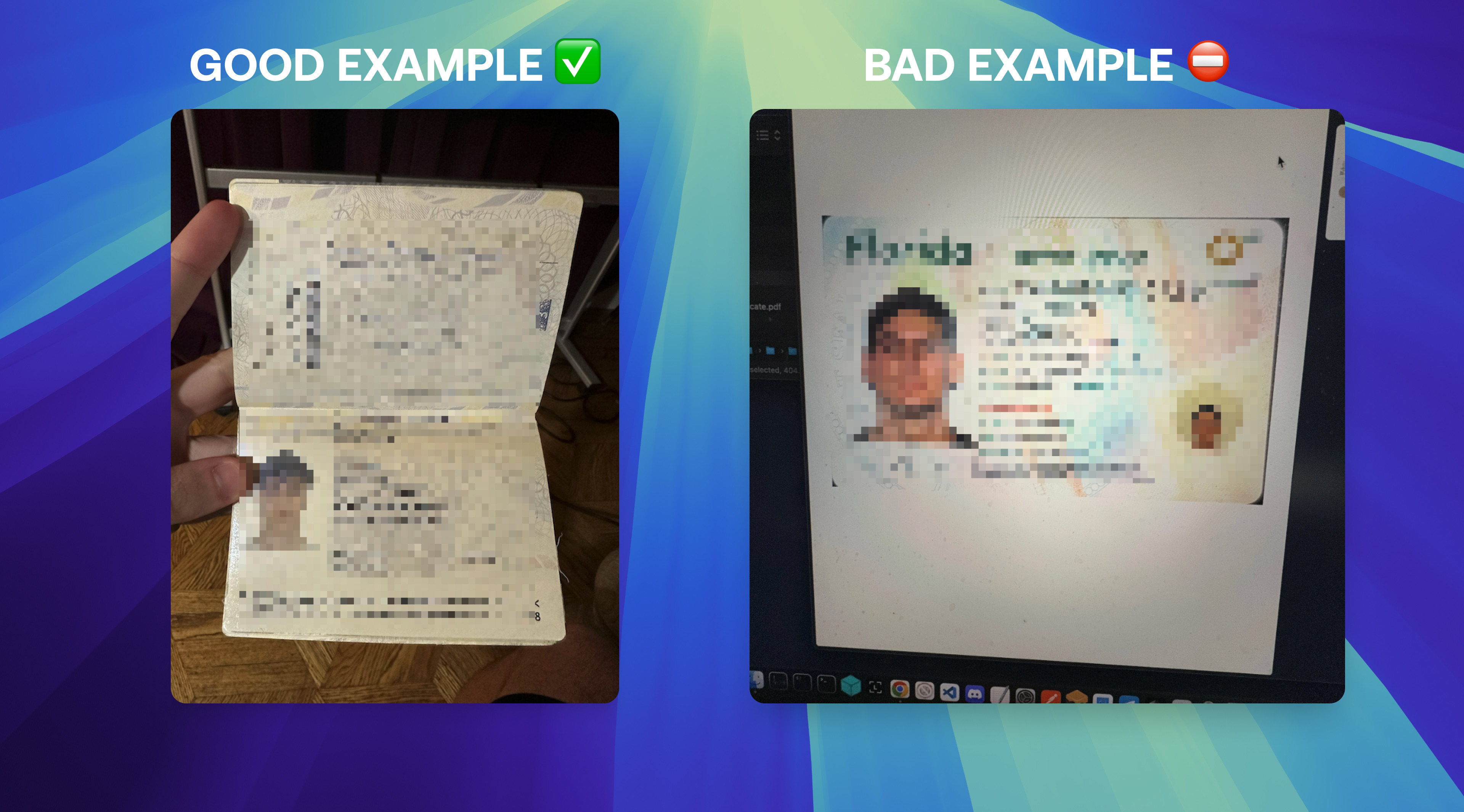
Photo Tips
- Photograph the original physical document — not a screen or printed copy.
- Make sure all text is clear and readable, with no glare or reflections.
- Capture the entire document in the frame — don't crop any edges.
- Use good lighting and keep the image in focus.
- If applicable, send both the front and back of the document.
Avoid Submitting
- Photos taken of a screen, monitor, or another device
- Screenshots, or pictures of printed or photocopied documents
- Blurry, dark, cropped, or unclear images
Note: Screenshots are not accepted unless explicitly approved by our team.
Submission Format
- Upload a clear, color scan or photo of the document
- Accepted formats: PDF, JPEG, or PNG
- Maximum file size: 3 MB
- The entire document must be visible — no cropped or partial images
Need Help?
If you have questions about which verification level applies or need guidance during the process, contact our support team.