What it is
A payout quote shows how much you or your customer must send in stablecoins and how much the customer receives in fiat. For example, sending 1,000 USDC to a customer with a US bank account quotes 1,000 USDC sent and $999 received.
How it works
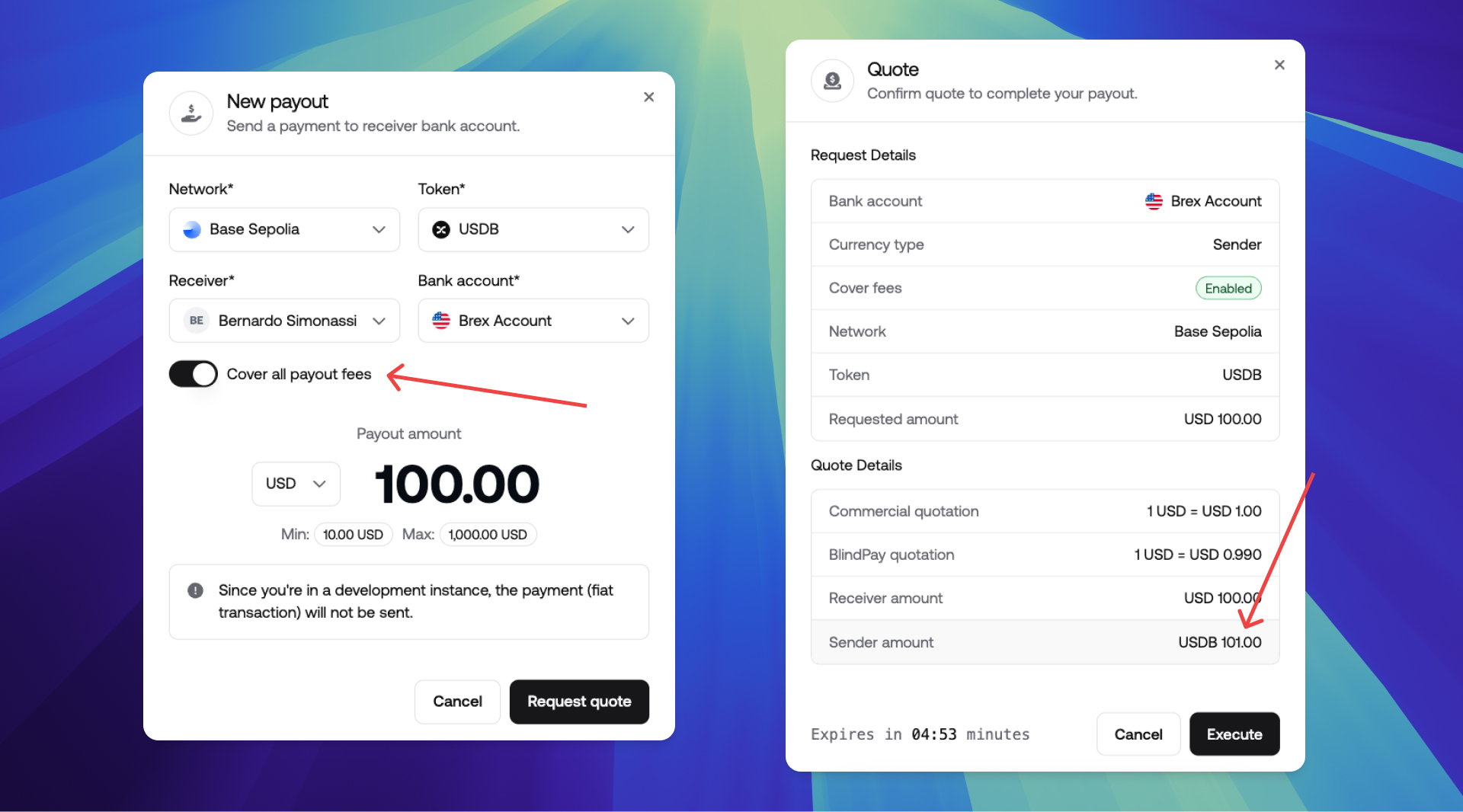
Fees can be paid by either party:
| Payer | Fee basis | API setting | Dashboard option |
|---|---|---|---|
| Customer | Fiat currency (USD, BRL) the customer receives | cover_fees: false | Keep Cover all payout fees off |
| Sender | Stablecoins (USDC) the sender sends | cover_fees: true | Enable Cover all payout fees |
Customer-paid fees are the most common scenario. Sender-paid fees are typical for payroll.

request_amount does not accept float values. To send 1.23 USDC, pass 123.
SWIFT documents
For international SWIFT payouts, compliance documents are required but are collected after the payout is created, not at quote creation time. Once the payout is created, it is placed on_hold until the required documents are submitted and approved.
To learn more about the SWIFT document submission flow, accepted document types, and compliance statuses, see the SWIFT statuses guide.
Prerequisites
You also need a customer and a bank account.
Create a payout quote
You can check the required fields in the BlindPay API Docs.
YOUR_SECRET_TOKEN with your API key and in_000000000000 with your instance ID, and re_000000000000 with your customer ID, and ba_000000000000 with your bank account ID.